
The two models
- Instant confirmation: the guest picks a day, a time and a party size from the available slots; the booking is confirmed on the spot, and they get a confirmation email.
- Manual approval: the guest sends a request; it arrives “to confirm”; someone on the team accepts or declines it, and the guest hears back later.
In both cases, your system works out which slots are available. The difference is one thing only: who says yes, and when.
What manual approval costs
The manual model feels safe: nothing enters the room without your say-so. But it has a cost, on both sides.
For the guest:
- the wait: they do not know whether they have a table, cannot tell their friends, and cannot book elsewhere without risking a double booking;
- the doubt: a request without a quick reply looks like a no, and some book elsewhere in the meantime;
- same-day bookings: a request sent at 6 pm for 8 pm and handled at 9 pm is useless.
For the team:
- one more task, done mid-service if requests arrive then;
- slips: a request left waiting on a Saturday night is a lost table and a disappointed guest;
- double work: checking availability the system has already calculated.
Sheryl Kimes’s research at Cornell University on guests’ attitudes to reservation policies shows how much perceived fairness and clarity weigh on their judgement. A request left unanswered offers neither.
What instant confirmation costs
Instant confirmation has risks too, worth knowing:
- a booking you would not have accepted: a table of ten on an already busy night, a special request you cannot honour;
- a wrong setting that repeats: a table time too short, no cap on arrivals, and the system confirms bookings the kitchen cannot keep up with.
These risks are handled upstream, through your booking rules, rather than by approving every request by hand: a maximum online party size, a cap on arrivals per slot, a minimum notice before arrival, realistic table times. Likewise, a few guests who never turn up do not justify approving everything by hand: our article on repeat no-show guests covers what to record and what to do.
When to keep control
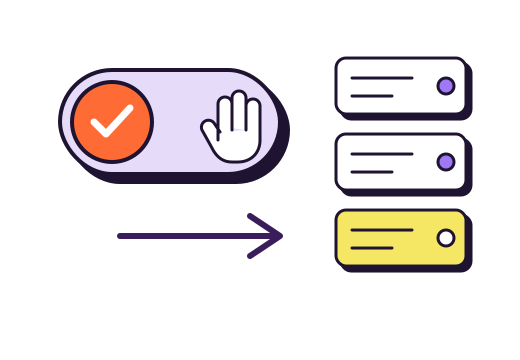
Some situations call for a human eye rather than a rule:
Big groups
Above a certain size, a booking shapes the whole night: tables to put together, a menu to offer, perhaps a deposit. A group request, approved by hand, lets you call the guest back, suggest a set menu and agree the terms. Our guide to restaurant group bookings covers the details.
Special nights
New Year’s Eve, Valentine’s Day, a themed night with a set menu: some restaurants prefer to approve each booking to check the guest has read the menu and terms. Another option is to keep instant confirmation but show the menu and terms at booking time, with a box to tick. Our article on Christmas and New Year’s Eve shows how.
A room with particular constraints
A single, much-requested table, a private room, a weather-dependent terrace: here, manual approval on that one resource keeps flexibility without slowing everything else down.
The mix that works
Most restaurants do not have to pick one model for everything. A common set-up:
| Type of booking | Setting | Why |
|---|---|---|
| One to six guests, ordinary night | Instant confirmation | Guests get their answer, the team does nothing |
| More than six or eight guests | Request to confirm | Tables to arrange, a menu to offer |
| Special night | Instant, with menu and terms to accept | Guests know what they are booking |
| Phone booking | Entered by the team, confirmed at once | The person on the phone already said yes |
If you approve by hand, set yourself a reply time, for example within the hour during opening hours, and tell guests when they send their request. A request unanswered for more than a day has often found a table elsewhere.
With gonnabook.it, instant confirmation is a setting in your booking rules: without it, every online booking arrives “To confirm”. With it, only requests above your maximum online party size wait for your answer, and they land in your notifications.
How to decide for your restaurant
Three questions are enough:
- How many requests do you get a day, and who can handle them, when?
- What would make you turn down a booking the system would accept? If the answer fits in a rule (size, time, notice), set the rule. If it needs judgement, keep control for that case only.
- How long do guests wait for an answer today? If it is more than a few hours, instant confirmation will win you bookings back.
Our guide to choosing restaurant booking software lists the settings to check before you decide.
Frequently asked questions about booking confirmation
Should restaurants confirm online bookings automatically?
For most bookings, yes: guests get an immediate answer and the team has nothing to handle. The risks, such as a large table on a busy night, are handled through upstream rules: a maximum online party size, a cap on arrivals per slot, a minimum notice period and realistic table times.
When should I approve a booking by hand?
When the decision needs judgement that a rule cannot capture: a big group that needs tables put together and a menu offered, a special night, a single resource such as a private room. For everything else, manual approval mostly adds waiting for the guest and work for the team.
How quickly should I reply to a booking request?
As fast as you can, ideally within the hour during opening hours. An unanswered request looks like a no, and many guests book elsewhere while they wait. Tell guests your reply time when they send the request, and organise yourselves to keep to it, weekends included.
Sources
- Sheryl E. Kimes, Customer Attitudes towards Restaurant Reservations Policies, Journal of Revenue and Pricing Management, vol. 10, no. 3, 2011, Cornell University.
- Sheryl E. Kimes et al., Restaurant Revenue Management: Applying Yield Management to the Restaurant Industry, Cornell Hotel and Restaurant Administration Quarterly, 1998, Cornell University (eCommons), capacity rules and table times.
- The thresholds and times quoted (six or eight guests, a reply within the hour) are examples to adapt, not rules or statistics.