
How much will I pay over a year, with a full room?
Ask for the total cost over a realistic year, with your number of covers booked online, not just the headline price. A commission per cover, fees per text message, an option for the floor plan or a paid module for card guarantees can change the bill completely. Do the sum for a quiet month and for a busy one.
What is included, and what is not?
Have the offer listed: number of bookings, user accounts, restaurants, e-mails and text messages. A feature shown on the website may belong to a higher plan, or may not be available yet: ask what works today, and what is announced.
How do I stop, and with what notice?
A twelve-month commitment is not a problem if you know it when you sign. Look at the minimum term, the notice period, and what happens at the end: does your widget stop the same day? Does your data remain accessible?
Who owns my guest list?
The most important point, and often the vaguest. Ask whether the publisher can write to your guests on its own behalf (suggestions for other restaurants, offers, newsletters) and whether your guests are visible on a shared platform. A guest list that also serves others is no longer entirely yours.
Can I export it whenever I want?
Ask in which format (a CSV file opens anywhere), from which screen, and whether it is free. Check the reverse too: can you import your current list when you start? If you are leaving another tool, read how to switch booking software without losing bookings.
Where is the data hosted, and under what contract?
Your restaurant is the controller of its guest list; the publisher is your processor under the GDPR. It must offer you a data processing agreement and tell you where the data is stored, and which providers can access it.
Can it be used in the thick of service?
Ask for a demo on a tablet, standing up, as at the host stand on a Saturday night. How many taps to mark a guest as arrived, seat them, change tables? Are the buttons big enough? Do the booking list and the floor plan stay in sync? For the hardware itself, see choosing a tablet for your restaurant, and where to put it.
What does the guest see when booking?
Make a booking yourself, on your phone. Is the widget in your colours? Do guests need an account? What happens when the day is full? Does the guest get a clear confirmation, with a link to change or cancel without calling? Better still, try it for real: here is a 30-day test plan for trialling booking software.
Does the software fit my dining room?
Your floor plan, your table combinations, your two Saturday sittings, your summer closures, your set-menu evenings: check that the tool can represent them without workarounds. A tool that is too rigid ends up in a drawer, replaced by the paper book. If you still use one, here is how to move from a paper reservation book to a tablet.
Who answers me, and how?
Ask through which channel you will get answers, at what times, and whether it is a person or a bot. A demo with the team will also tell you a lot about how you will be supported afterwards. For a restaurant about to open, this choice comes about a month before: it has its place in the digital checklist for opening a restaurant.
The checklist, to print
| Question | What to get | Warning sign |
|---|---|---|
| 1. Cost over a year | A figure based on your covers | “It depends” with no sum |
| 2. What is included | A written list | Options discovered later |
| 3. Stopping | Term, notice, what happens to data | Implicit commitment |
| 4. Owning the list | No use by the publisher | Your guests visible elsewhere |
| 5. Export | CSV, free, anytime | Paid export or on quote |
| 6. Hosting | Location, processing agreement | Vague answer |
| 7. Busy service | Demo on a tablet | Cluttered screens, small buttons |
| 8. Guest journey | No account, cancellation link | Account required |
| 9. Your dining room | Floor plan, combinations, services | Workarounds needed |
| 10. Support | Channel, hours, a person | No human contact |
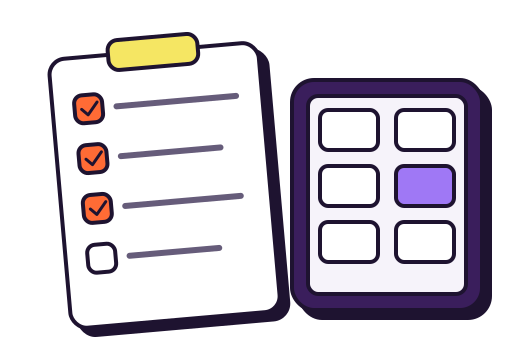
We built gonnabook.it trying to answer each of these questions clearly; ask them of us too, and compare.
Frequently asked questions
Does a small restaurant need booking software?
Not necessarily, but as soon as you take bookings online or several people answer the phone, a shared tool prevents double bookings and oversights.
Is it easy to switch booking software?
Yes, if you can export your guest list and the new tool can import it. Plan a period where you replace the booking link on your website and re-enter the bookings already taken.
Is a well-known platform better than a direct booking tool?
It depends on what you expect: a platform brings visibility in exchange for a commission or a share of your data; a direct tool costs a flat price and leaves you your guests. Many restaurants combine both.
Sources
- CNIL, Chapitre IV : responsable du traitement et sous-traitant (GDPR, Chapter IV, controller and processor, Article 28; in French).
- Service-public.fr, Acompte, avance, arrhes et avoir : quelles différences ? (French government guide to deposits, in French).