
Three ways to add booking
A booking widget is a small application hosted by your booking tool. Your website only displays it. There are three ways to offer it to your guests.
- The link: a “Book a table” button or text that opens your booking page in a new tab.
- The embedded widget: the booking form appears directly in a page of your website, among your content.
- The button that opens a window: a “Book” button that shows the widget over your website, without leaving the page.
| Way | Installation | What the guest sees | Best for |
|---|---|---|---|
| Link | Copy an address | A booking page in your colours | Google listing, social pages, e-mails, any website |
| Embedded widget | Paste one line of code | The form inside your page | A dedicated “Book” page |
| Button and window | Paste one line of code | A window over the page | A button visible on every page |
The link, which works everywhere
It is the simplest solution, and it needs no code. Your tool gives you the address of your booking page; you put it behind a button on your website, in your Google Business Profile, in your Instagram bio or in your e-mail signature. For Google, here is how to add a booking button to your Business Profile.
If you only do one thing, do this. Even with a widget embedded on your website, keep this link for every place where you cannot paste code: we listed them in your booking link on Instagram, Facebook, email and QR codes.
The widget embedded in a page
The form appears in your page, like an embedded map or video. Technically, it is usually an iframe: a window in your page showing content hosted by your booking tool. The guest books without leaving your website.
To install it, copy the code your tool provides and paste it into an HTML block on your page. Pick a dedicated page (“Book”) or the bottom of your home page, and give the widget enough width to stay readable on a phone.
The button that opens a window
A “Book” button stays visible, and one tap opens the widget in a window over your page. The guest books, closes the window and finds the exact page they were reading. It is the most discreet option if you want to offer booking on every page.
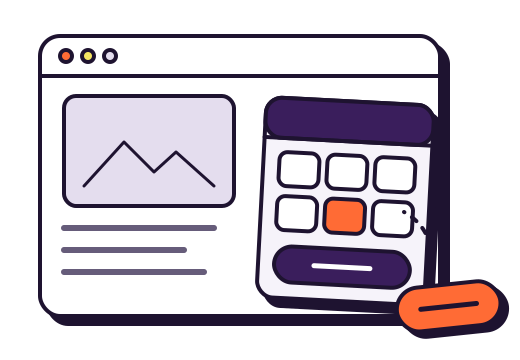
That is what gonnabook.it offers, along with the other two ways: in your settings, you copy the line of code for the embedded widget or the button, and your booking page stays available as a plain link.
Step by step, by website builder
The method is the same everywhere: find the block that accepts HTML, paste the code, save, check.
WordPress
In the page editor, add a “Custom HTML” block (type /html in an empty paragraph), paste the code, then preview. If your theme offers a button in the header, you can also put the booking link there.
Wix, Squarespace and other website builders
These tools all have an “embed code” element or a “code block”. Add it to the page, paste the code, adjust the block’s width and height, then publish. If your plan does not allow embedding code, use the link behind a button: it works in every case.
A website built by an agency
Send the code and the address of the page where you want the widget to whoever manages your website. It is a few minutes’ change for them.
Before publishing: check
Make a real test booking, on a computer and on a phone, then cancel it with the link you receive by e-mail. Check that:
- the widget shows in full on a phone screen, with no sideways scrolling;
- your colours and logo are right;
- the confirmation e-mail arrives, with your address and the link to change or cancel;
- the test booking appears in your list.
Frequently asked questions
Does the widget slow down my website?
Very little: the widget is hosted by your booking tool, and your page only loads a small script or an embedded window. The link adds nothing to your page.
My website does not let me add code: what can I do?
Use the booking link behind a button or a text. It opens your booking page, in your restaurant’s colours.
Should I also put the link on Google?
Yes. In your Google Business Profile, add the address of your booking page as the reservations link: many guests book from Google or Maps without visiting your website. A complete profile also matters to the AI assistants that recommend restaurants.
Sources
- WordPress.org, Custom HTML block, block editor documentation.
- MDN Web Docs,
<iframe>: The Inline Frame element. - Google, Manage your local business links, Google Business Profile Help.